In this blog post I will explain how to Participate in an Open Source Software Project (OSS) using only Cloud Based Technologies. I also try to introduce the Mind Maps in the Software Development Life Cycle and Technical Presentations.
1) Create an account on GitHub
2) (Optional) Create an account on Exo IDE
Or use your Goolge or GitHUb account (OpenID)
Note: If you are using GitHub make sure you have entered an email in your GitHub profile.
Or use your Goolge or GitHUb account (OpenID)
Note: If you are using GitHub make sure you have entered an email in your GitHub profile.

3) Create an account on AppFog
4) Login to GitHub

5) Find an interesting project in GitHub and hit "fork" to crate a copy in your GitHub account.


6)Login to Exo IDE

7) Enter your credentials for AppFog
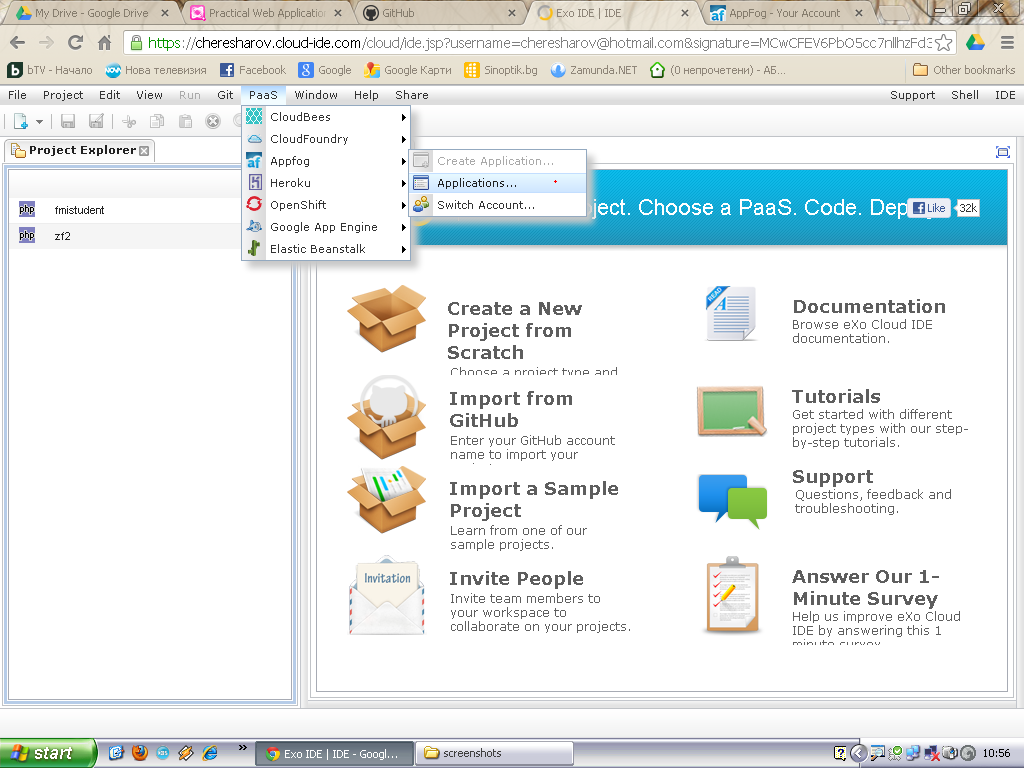
8)Create a Project

8.1)Choose PHP Technology and Appfog as a PaaS.

8.2)Choose a Template.
Note: There is only one currently.
Note: There is only one currently.

8.3)Enter your credentials for Appfog.
Note: You have to add one "s" at the end of the protocol to make it SSL
Note: You have to add one "s" at the end of the protocol to make it SSL

8.4)Select the infrastructure, subdomain for Appfog.
Note: Make sure the subdonain (URL) is unique enough.
Note: Make sure the subdonain (URL) is unique enough.

9)Delete the files and folders in the new project
Note: We will be pulling from our GitHub fork
Note: We will be pulling from our GitHub fork

10)Do "git init"

11) Copy the address of the fork from GitHub

12) Add Remote Repository


13) Generate RSA key pair in Exo IDE


14) Add the generated public key to github


15)In Exo IDE do "git pull" to get your fork


16) In Exo IDE do git push back to you fork


17) Add a file or do some changes

17)Do git add; git commit -m "added file"; git push; to send the changes to your fork


18)(Optional)Send a "Pull Request" to the owner of the original project


19)(Optional) Stay up to date with the original repo.
Note: The fork doesn't get updated automaticaly.
Note: The fork doesn't get updated automaticaly.


Push the changes to your fork
pushBackToTheFork.png)

20)Deploy to Appfog


