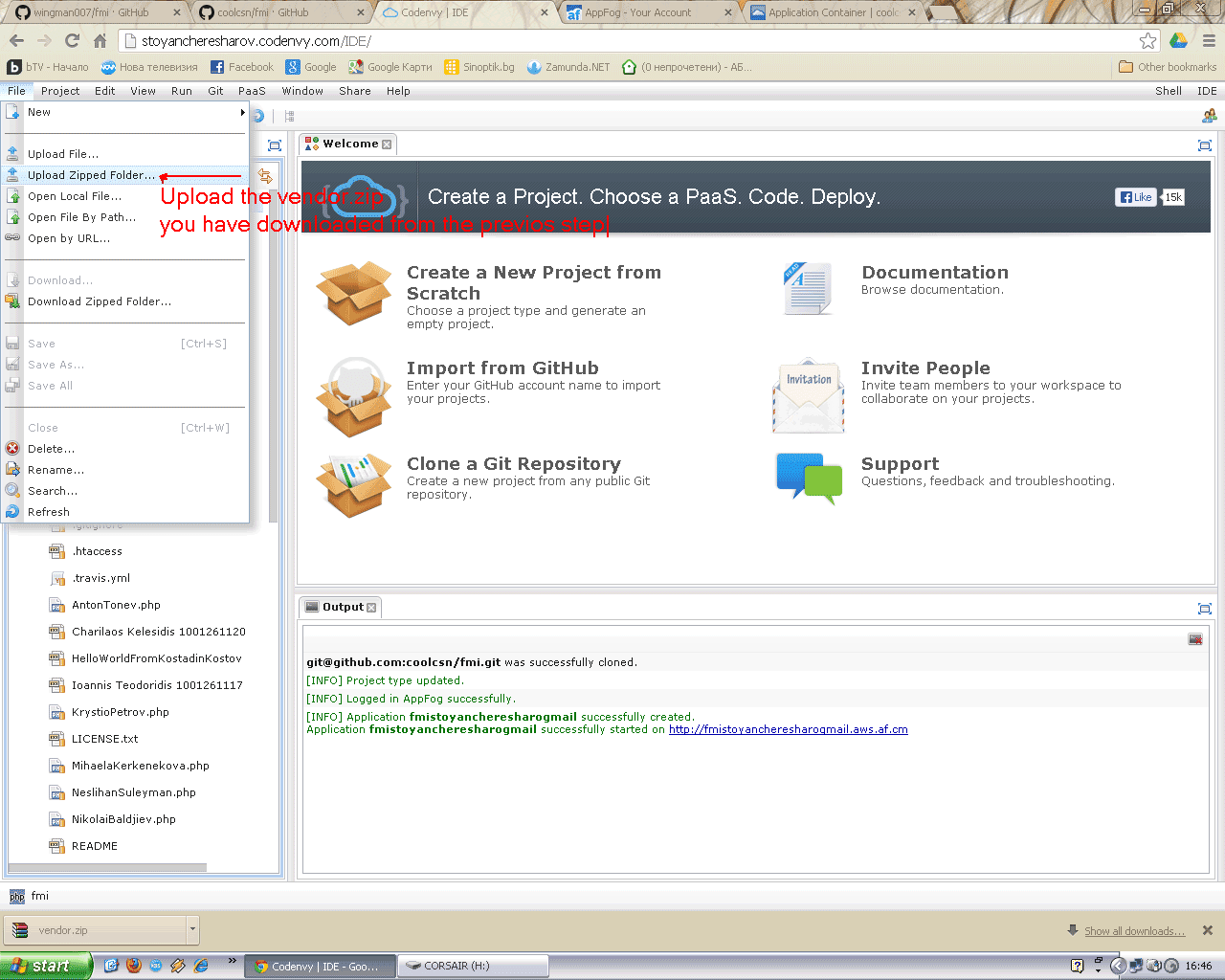
In this tutorial I show how to clone (fork) FMI project in github, clone the fork to cloud IDE "Codenvy" and deploy it to AppFog. I show also how to run a MySQL service on AppFog and install phpMyAdmin in order to manage the instance.
Sunday, June 2, 2013
How to participate in a project using Codenvy and AppFog
I have started a Zend Framework, 2 Doctrine 2 projects for my students. You can find it in GitHub https://github.com/wingman007/fmi. To make the things easier, I have compressed the folder "vendor". So you can find the file "vendor.zip" in the repo. The folder vendor have been created using "composer". But in environments like "Codenvy" we don\t have console and can not run composer. In such cases we can use the archive "vendor.zip". Simply unzip and replace the folder vendor.
In this tutorial I show how to clone (fork) FMI project in github, clone the fork to cloud IDE "Codenvy" and deploy it to AppFog. I show also how to run a MySQL service on AppFog and install phpMyAdmin in order to manage the instance.
Monday, May 20, 2013
Sunday, May 19, 2013
Thursday, March 21, 2013
PHP ZF2 ZfcUser Installation. How composer is using git on a portable USB drive
This tutorial is an extension to my previous tutorial PHP Composer. How to install and use on a portable USB device. ZF2, Doctrine 2 ORM. I am using composer together with git to install ZfcUser module on a portable device also. In fact the most interesting part is how to allow composer to use git to clone modules.
Note: Before we even start I want to compare the files and folders in ./vendor to ./vendor in the phpcloud.com. I want to see what do I get i phpclod.com.
1) Correct the composer.json in the project folder. Add
"require": {
...
"zf-commons/zfc-user": "dev-master"
}
3) Note: Do composer "composer update -d C:\projects_composer\zf2-tutorial". I will get error. We have to add the path to git.exe
4) Note: pay attention to the comas in JSON
5) Note: Try to set the path to git.exe. Even if git works (e.g. "git --help") composer still can not use it
6) The right way to add the path. DO THIS.
7) Now we can install ZfcUser (composer will take care of all dependencies - e.g. ZfcBase)
8) Add the ZfcBase and ZfcUser to application.config.php
9) Create a file database.local.php
10) Import the DB.
11) Access the landing page
Note: Example of another way to install modules, not with "composer".
Note: Before we even start I want to compare the files and folders in ./vendor to ./vendor in the phpcloud.com. I want to see what do I get i phpclod.com.
"require": {
...
"zf-commons/zfc-user": "dev-master"
}
Note: You don't have to add the dependancies ZfcBase
2) The changed file3) Note: Do composer "composer update -d C:\projects_composer\zf2-tutorial". I will get error. We have to add the path to git.exe
4) Note: pay attention to the comas in JSON
5) Note: Try to set the path to git.exe. Even if git works (e.g. "git --help") composer still can not use it
6) The right way to add the path. DO THIS.
7) Now we can install ZfcUser (composer will take care of all dependencies - e.g. ZfcBase)
8) Add the ZfcBase and ZfcUser to application.config.php
9) Create a file database.local.php
10) Import the DB.
11) Access the landing page
Note: Example of another way to install modules, not with "composer".
Subscribe to:
Posts (Atom)